

The My Library feature helps you reuse content and room designs you’ve already created before inside GoBrunch.
Instead of building a new room from scratch every time, you can quickly apply previous layouts, presets, backgrounds, and room setups to a new space.
This makes room creation faster and more consistent.
Let’s see how it works.
How to Open My Library
Inside your room, follow these steps:
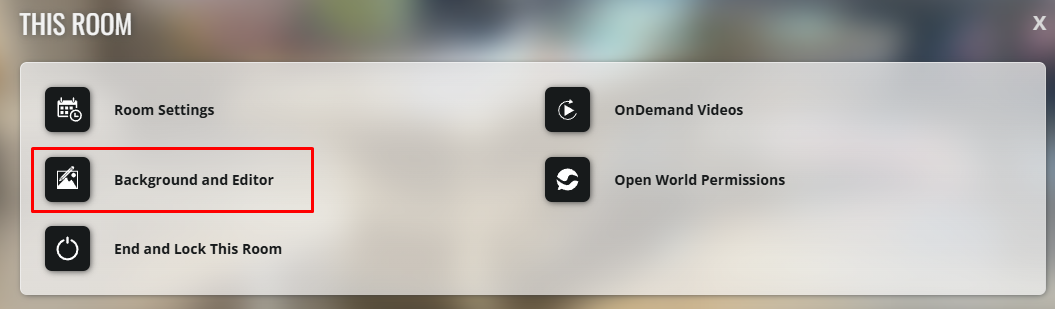
Click on This Room

Click on Background and Editor
Click on the My Library icon
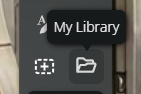
A pop-up window will appear with your saved content.
How My Library Works
Once the library opens:
You’ll first see a pop-up that says Select a Category
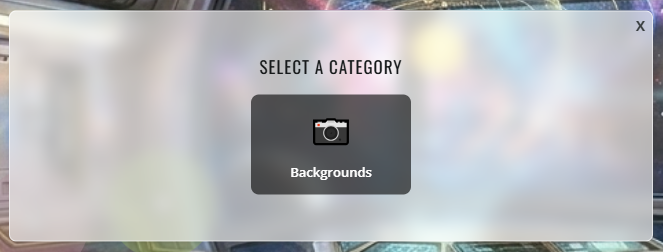
Below it, select Backgrounds
Then you’ll see another section called Select a Type
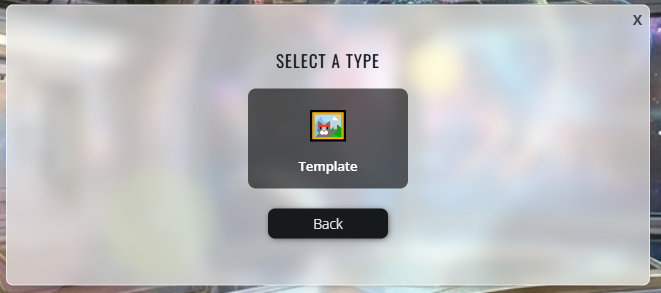
Choose Template
After that, your saved items will appear.

You can then:
select a previously created room
reuse an old design
apply an existing layout
load saved presets and elements
Once you select an item, another pop-up will appear asking you to save the changes.
More Than Just Backgrounds
My Library is not only for room backgrounds.
You can also reuse complete room setups, including:
room layouts
presets
videos
decorations
editor elements
and previous room designs
This allows you to quickly recreate a room style without needing to redesign everything again.
Why This Feature Is Useful
My Library helps you:
save time while building rooms
reuse older designs
keep your rooms visually consistent
recreate event setups faster
use previous rooms as templates for new ones
It’s especially useful if you host recurring events or manage multiple spaces.
Important to Keep in Mind
⚠️ After selecting an item from My Library, don’t forget to click Save to apply the changes.
⚠️ Applying a saved template may replace parts of your current room design.
⚠️ Templates can include more than just backgrounds depending on how the original room was created.
Recap
The My Library feature lets you reuse previously created room content directly from the editor.
You can access:
backgrounds
templates
layouts
presets
videos
and complete room setups 💻
All without needing to create a new room from scratch every time ✨
💻📱 Available on both desktop and mobile.